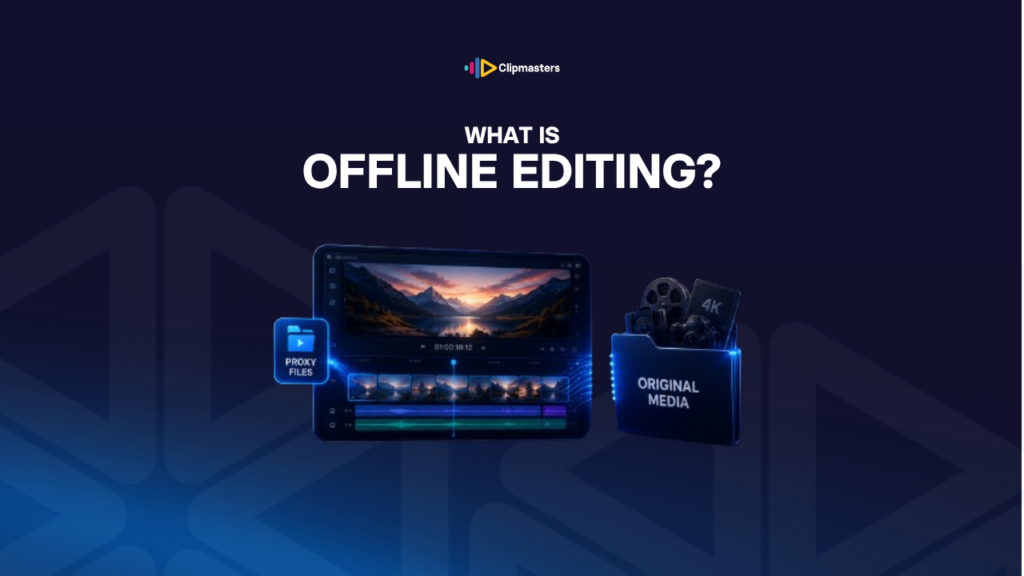
The term “offline editing” comes from the old film days. Back then, editors did not touch the real negative. They cut a “work print,” a cheaper, lower-quality copy, and the final cut was matched back to the high-quality original at the end. The master film stayed safe; only the work print ever met the editor.
Digital video works the same way. The editor cuts using lower-resolution copies called proxy files, then links back to the high-resolution originals for the final export.
“Offline” does not mean you are off the internet. It means you are working away from the high-resolution source. You make all your editing choices on the lighter copies, and the final video uses the heavy originals.
There are two stages:
Why bother working this way? A few good reasons:
Smoother editing. High-resolution files like 4K, 6K, and 8K need a powerful computer to play back without stuttering. Lighter proxies, usually 1080p or smaller, play smoothly on almost any machine.
Portability. Proxies are small enough to carry on a laptop. The big originals can stay on a fast drive or a server. The editor can travel with just the proxies and the project file.
Safer originals. Editing on proxies keeps the high-resolution originals untouched while you work. They can be backed up or archived separately, knowing nobody is changing them.
Working as a team. Several editors can work on the same project at once, each with their own copy of the proxies, then merge their work for the online edit.
For most modern professional editing, some form of this proxy approach is the default. The exact setup varies, but the idea is always the same: edit on proxies, finish on originals.
There are a few common ways editors set up proxies in modern software.
Automatic proxies. Most editing software, like Premiere Pro, DaVinci Resolve, and Final Cut Pro, can make proxy files for you when you import footage. You pick the proxy size, usually a quarter or an eighth of the original. The software builds the proxies once, you edit with them, and at export it quietly relinks to the originals.
Manual proxies. Some editors make proxies before importing. Tools like Shutter Encoder, Adobe Media Encoder, or DaVinci Resolve can batch-convert high-resolution files into lighter editing copies. The editor imports the proxies, cuts, and then links to the originals at export.
Cloud collaboration. Platforms like Frame.io let teams edit with proxies from anywhere. The proxies live in the cloud while the originals stay on local drives or in a master archive, so editors and reviewers in different places can all work with the same files.
Camera-made proxies. Some cameras record a high-resolution master and a lighter proxy at the same time. The editor can use the camera’s proxy straight away, with no separate converting step.
Smart proxy systems. Some software can quietly use the original file for some tasks and the proxy for others, switching back and forth on its own so the editor does not have to think about it.
For commercial and online video, the most common setup is the automatic proxies built into the editing software. You set the proxy size at import, and the software handles the rest.
Here are the situations where the proxy approach really earns its keep.
Heavy footage on a modest computer. Editing 4K or 6K on a laptop or older desktop without proxies usually means lag, stutter, and slow scrubbing. Proxies make that same footage play smoothly.
Long projects. Feature films, multi-hour documentaries, and series have so much footage that editing it all at full resolution gets sluggish. Proxies keep things moving.
Multi-camera projects. Editing several angles at once, often three to eight, means playing back several streams at the same time. Proxies make that manageable even on a normal computer.
Working from different places. When editors and reviewers are spread out, sharing light proxies is far quicker than sending around full-resolution masters.
Editing in the field. Editors working on location, like a wedding cut on the road or an event recap edited the same night, usually lean on proxies so they can travel light.
Archive projects. When the high-resolution originals are too large or too sensitive to move, proxies let you edit without touching them.
And here is when offline editing matters less:
Short projects with light footage. A 60-second ad shot in 1080p does not need proxies. You can edit the full resolution directly.
A genuinely fast computer. A high-end workstation can sometimes edit 4K or 6K at full resolution without any lag. In that case proxies are optional.
Simple edits. When there is barely any cutting to do, the proxy step adds work without giving you much back.
For most professional video in 2026, some form of proxy workflow is standard. The smoother editing and added flexibility are usually worth the time it takes to make the proxies up front.
A few habits cause trouble in proxy workflows.
Forgetting to switch back before export. The editor finishes the cut on proxies and exports without relinking to the originals, so the final video comes out low-resolution. Modern software usually handles this for you, but it still trips people up when the workflow is not set up right.
Losing track of where the proxies are. Proxies and originals live in separate folders. If the project moves to another computer or drive, the link between them can break. Software has tools to manage this, but tidy folders matter a lot.
Cropping based on the proxy size. Proxies are smaller than the originals. If you crop or reframe shots aggressively while looking at the proxy, the same crop on the bigger original can show more of the frame than you expected.
Mismatched audio. Some workflows shrink the audio along with the video, sometimes at lower quality. If the audio sounds different at export than it did while editing, the proxy audio is probably the cause. The fix is to use full-quality audio even when the video is proxied.
Mixing proxies and originals. A project with some shots as proxies and others at full resolution gets confusing to manage. It is cleaner to proxy everything or nothing, not a mix.
Proxy files that will not play smoothly. Some proxy formats do not run well on every system. Sticking to a widely-supported one, like ProRes Proxy or DNxHR LB, avoids compatibility headaches.
Making proxies for tiny projects. For some small jobs, building proxies takes longer than just editing the originals would have. The workflow has overhead, so save it for the bigger projects.
The simple rule: use proxies when the amount or size of the footage calls for it. Do not add the extra setup to projects that do not need it.
Offline editing is one of those behind-the-scenes steps clients never see, but it is a big part of why an edit runs smoothly. At Clipmasters, your editor sets up the right proxy workflow at the start of a project, so the cut moves fast even with heavy 4K or 6K footage. It is just part of how they handle large files, so you get quick turnarounds without worrying about the technical side.
The term comes from the film world, where "offline" meant editing on a low-quality work print, separate from the high-quality original negative. It never meant being off the internet; it meant being away from the high-resolution source. Modern proxy workflows keep the same idea: edit with light copies, then switch to the originals at the end.
A proxy file is a lower-resolution copy of your footage, used to keep editing fast. You cut with the proxies during the creative work. At export, the software relinks to the high-resolution originals and outputs the final video at full quality. Viewers never see the proxies; they are just an editing-stage tool.
Usually a quarter or an eighth of the original. For 4K (3840x2160) footage, proxies at 1920x1080 (a quarter) are common, and smaller ones like 960x540 (a sixteenth) give the smoothest editing. The right size depends on how powerful your computer is and how complex the project is. Most editing software has ready-made presets for this.
Usually not. 1080p edits smoothly on almost any modern computer without proxies. They become helpful when your footage is 4K or higher, when the project has lots of video tracks, or when your computer is older. For straightforward 1080p projects, proxies are usually extra work you do not need.
Offline editing is the creative stage done with proxy files. Online editing is the finishing stage where you relink to the high-resolution originals, do the final colour grading, mix the audio, and export the master. The same editor often does both. The difference is which files are in use at each stage, not who is doing the work.