What Is Non-Linear Editing

Non-linear editing (NLE) is a digital workflow where you can change any timeline section in any order, without re-recording or affecting other parts.

In this article

Related Terms

Start Video editing now

What is Non-Linear Editing?

The term “non-linear editing” only makes sense next to “linear editing,” which was the standard before digital editing took over. To understand NLE, it helps to know what came before it.

Linear editing was the main way to work from the 1950s through the 1990s. Editors handled physical media, first film, then videotape. The footage lived on a strip or a tape in a fixed order. To edit, you copied your chosen sections from the source onto a master tape, in the order they would appear in the final video.

The catch: to change something in the middle of the video, you usually had to re-record everything after that point. Dropping in a 5-second shot somewhere in the middle meant copying all the footage after it again, in a new order. Editing was sequential. You finished each section before moving on.

Non-linear editing broke that limit. With digital files on a computer’s hard drive, you can change any part of the timeline at any time without touching the rest. Drop a shot in the middle and everything shifts on its own. Trim a clip later and the timeline adjusts. The editor can jump around the project freely.

Every modern editing program is an NLE:

  • Adobe Premiere Pro
  • Final Cut Pro X
  • DaVinci Resolve
  • Avid Media Composer
  • CapCut
  • Descript
  • iMovie
  • Filmora

Even older or simpler tools, like Windows Movie Maker in its day, were technically NLEs because they worked on digital files instead of physical media.

The shift from linear to non-linear editing in the 1990s and 2000s was one of the biggest changes in the history of video. It changed who could edit, since consumer software made it easy to start. It changed how editing worked, with any clip a click away. And it changed what people could make, opening the door to more iteration and more complex projects.

Need editors who work fluently in any NLE software?

Editors matched to your brand. Turnaround in as little as 24 hours.

Why non-linear editing changed everything

Here are the specific things NLE made possible.

Instant access to all footage. In linear editing, finding a shot meant fast-forwarding or rewinding through tape. In NLE, every clip is one click away. Editors review footage faster and build cuts faster.

Free iteration. In linear editing, changing your mind was costly, since you had to re-record everything after the change. In NLE, changes cost nothing. The editor can try variations, undo decisions, and rearrange the structure with no penalty. That leads to more creative experimenting and better final results.

Layered compositing. Linear editing was stuck with a single video layer, whatever was on the tape. NLE lets you stack many video tracks, which makes compositing, motion graphics, picture-in-picture, and most modern visual tricks possible.

Effects and filters. Real-time effects like colour correction, transitions, and motion graphics are mostly an NLE thing. Linear editing had effects, but they were limited and needed special equipment.

Multi-camera editing. Cutting between footage from several cameras of the same event is practical in NLE. In linear editing, it was nearly impossible.

Collaboration. Several editors can work on the same project at once, each on a different section. The NLE handles merging it together.

Non-destructive editing. Your editing choices in NLE never change the original files. The source footage stays untouched, and you can go back to it any time.

Access for everyone. NLE software is now cheap or free. DaVinci Resolve, CapCut, iMovie, and others give anyone with a computer the tools that once needed a studio. Far more people produce edited video as a result.

The downside of non-linear editing is the same as the upside: nothing forces you to decide. Linear editing made you commit to an order. NLE lets you put off choices forever. Some editors find that freedom paralysing and keep tweaking without ever finishing. Knowing when to commit and lock the picture matters more in NLE than it ever did in linear work.

How NLE software works

These are the core ideas every NLE shares.

Project file. A single file holding all your editing choices: references to the source media, the timeline layout, effects, and settings. It is small, from a few kilobytes to a few megabytes. The source media is separate and much bigger.

Source media. The original video and audio files the editor works with. NLEs point to these files rather than changing them. The same file can be used many times in a project without taking extra storage.

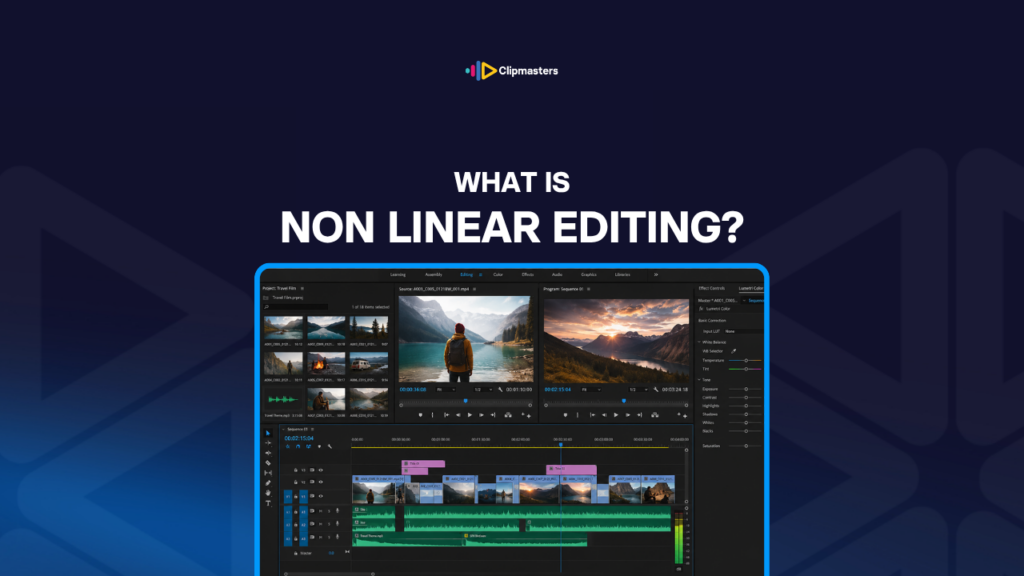
Timeline. The horizontal workspace where clips, audio, effects, and graphics are arranged in time. Most NLEs have a timeline with several stacked tracks for video and audio.

Bins or project folders. Storage for source media inside the project. Clips, audio, music, and graphics are sorted into bins so the editor can find them.

Source monitor and program monitor. Two preview windows. The source shows the clip you are working on. The program shows the assembled timeline. Editors flip between them constantly.

Non-destructive editing. Every edit is a reference to the source plus instructions for how to change it, like trim points and effects. The originals are never altered. The NLE rebuilds the final video at export time.

Real-time playback. Modern NLEs can play complex timelines in real time using GPU power and other tricks. Older or slower computers may need to render preview files for the heavy sections.

Export or render. When the project is done, the NLE works out the final video and writes it to disk as a single file. That file is what you share with viewers.

Portability. Modern NLEs let you move projects between computers, as long as the source media comes along too. Some support collaborative editing, where several people work on the same project at once.

The exact details differ between programs, but the core ideas are remarkably consistent. Editors who learn one NLE pick up others with a bit of practice.

NLE software landscape

Here are the major NLE options in 2026, each with its own strengths.

Adobe Premiere Pro. The go-to standard for broadcast, commercial, and YouTube work. Subscription-based. It works closely with the rest of the Adobe suite, like After Effects, Photoshop, and Audition, and has a huge third-party ecosystem.

DaVinci Resolve. The free version is genuinely professional, and the paid Studio version unlocks more. It is built around colour grading, which is industry-leading, but it now does full editing, audio (Fairlight), VFX (Fusion), and motion graphics. It is fast becoming the main alternative to Premiere.

Final Cut Pro X. Apple’s professional NLE, Mac only. A one-time purchase rather than a subscription. It uses a distinctive “magnetic timeline” that works differently from traditional track-based timelines. Popular with Mac-based independent creators and some commercial work.

Avid Media Composer. The traditional standard for feature film and TV. It has the steepest learning curve of the major NLEs. It is strongest for collaborative workflows and very long projects, and less common in commercial and online work.

CapCut. Mobile-first, but with a capable desktop version. Free, with optional pro features. Built for short-form social content, it has grown fast as TikTok-style creators adopted it.

Descript. A text-first editor. AI transcribes the video, and the editor cuts by editing the transcript. It is an unusual approach but powerful for interviews, podcasts, and talking-head content.

iMovie. Apple’s free consumer NLE. It has fewer features than the professional tools but is easy to pick up for casual creators.

Filmora. A consumer-focused NLE with a simpler interface than Premiere. Popular with hobbyist creators.

Adobe Premiere Rush. Adobe’s stripped-down version of Premiere Pro, built for fast social content.

LumaFusion. A mobile-focused NLE on iPad and iPhone. Surprisingly capable for serious work on a tablet.

For commercial and online video in 2026, Premiere Pro, DaVinci Resolve, Final Cut Pro X, and Avid cover most professional editing. CapCut and Descript serve specific needs. Choosing between them comes down to workflow preference and existing skill, not real gaps in what they can do.

How Clipmasters Uses This

Non-linear editing is the foundation of modern video. Almost every video published in 2026 was made in an NLE, and the choice between the major ones is more about workflow preference than capability. At Clipmasters, your editor’s real skill is deep fluency in their tools, with the shortcuts, trim tools, and export habits that turn a slow edit into a fast one. That fluency is part of why simple edits can come back in as little as 24 hours.

Frequently asked questions

What's the difference between linear and non-linear editing?

Linear editing works on physical media (tape, film), where changing one section means re-recording the sections after it. Non-linear editing (NLE) works on digital files, where you can change any part of the timeline at any time without affecting the rest. NLE dominates modern editing, and linear editing is now mostly history.

What does "NLE" stand for?

Non-Linear Editor, or Non-Linear Editing. It refers to digital editing software where the editor can work on any part of the project in any order. Every modern editing tool (Premiere Pro, Final Cut Pro X, DaVinci Resolve, CapCut, and so on) is an NLE.

Which NLE is best for beginners?

For free options, DaVinci Resolve is genuinely professional and widely supported. CapCut is the easiest way into social content. iMovie on Mac is the simplest consumer choice. For paid software, Final Cut Pro X is more intuitive than Premiere Pro for many beginners, while Premiere Pro has more learning resources. The best choice depends on what kind of editing you are doing.

Can I switch between different NLE software easily?

Switching is possible but takes time. The core ideas (timelines, tracks, trim tools, transitions, effects) carry over between NLEs. The specific shortcuts, interface habits, and workflow patterns are different in each. Most editors who switch take a few projects to get back up to full speed in the new software.

Is non-linear editing always digital?

Yes, in practice. Non-linear editing needs instant access to all your media, which only works with digital files on computer storage. The earliest "non-linear" experiments in the 1980s used special hardware, but modern NLE is digital and software-based across the board.

Loading video…