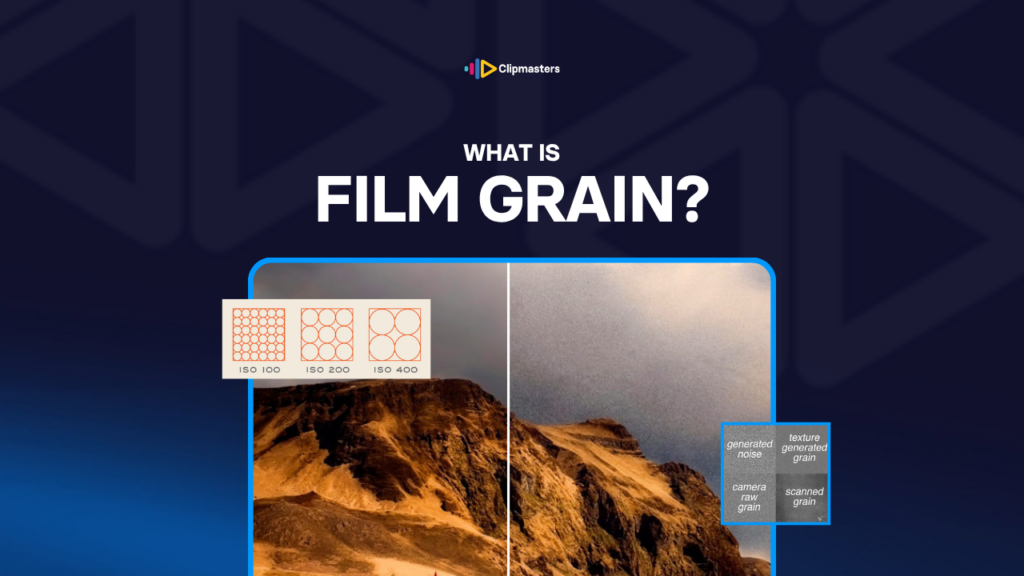
Film Grain

Film grain is the speckled texture in analog film, caused by silver halide crystals, often added to digital video for a cinematic feel.

In this article

Related Terms

Start Video editing now

What is Film Grain?

Film grain is the slightly textured, almost speckled look you see in old film. Look closely at a film still or a frame from a movie shot on film, and you will spot tiny particles spread across the image. It is not perfectly smooth. It has a soft physical texture.

The cause is chemical. Film captures images using tiny silver halide crystals (and dye couplers in colour film). Each crystal is a tiny grain that either reacts to light or does not. The pattern of those grains across the film makes up the image, and the crystals themselves show up as that grainy texture.

Different film stocks grain differently:

  • Fast film (high ISO). More sensitive to light, with bigger grain crystals and more visible grain. Used in low light or for a stylistic look.
  • Slow film (low ISO). Less sensitive to light, with smaller grain and less visible texture. Used in bright light and for sharp, clean results.
  • Black-and-white film. Often grainier than colour film of the same speed.
  • Colour negative. Lower grain than the matching black-and-white.
  • Reversal film (slides). Usually finer grain than negative film.

Film grain has been tied to a cinematic look for about a century. Technically it is a flaw of the medium, since a perfectly smooth image would be the ideal. But over time it became a signature look people love.

Need editors who handle texture and finish on every video?

Editors matched to your brand. Turnaround in as little as 24 hours.

Why film grain feels cinematic

A few reasons grain has become tied to the “cinematic” look.

  • It reminds us of big movies. For most of film history, movies were shot on actual film, so grain is just part of how they looked. When digital video took over (roughly 2005 to 2015), people had spent decades linking grain with high-budget, theatrical cinema. Grain-free digital looked cheaper by comparison, even when it was technically sharper.
  • It adds texture and depth. Grain gives the image a little visual complexity. Perfectly smooth digital can feel too clean, almost sterile. Grain breaks that up and gives your eye something to engage with.
  • It hides small flaws. Grain can mask minor issues like slight banding, mild low-light noise, or subtle compression artifacts. It lays its own gentle texture over the top, so the image feels less mechanical.
  • It carries a bit of nostalgia. Grain has an emotional link to an older era of filmmaking. Period pieces, romantic dramas, art films, and prestige TV often use it partly to set that mood.
  • It separates you from phone footage. Phones and consumer cameras shoot sharp, smooth, grain-free video. Adding grain quietly signals “this is not a quick phone clip.”

These links are not universal. Some genres look better clean, like sports, news, and anything that needs clarity. And plenty of great work is shot digitally with no grain at all. But for a lot of commercial and online video, the tie between grain and cinema is strong enough to make it a useful tool.

Adding grain to digital video

Most digital video has no grain by default. Adding it to a finished edit is a deliberate choice, usually made during colour grading.

A few common ways to add grain:

  • Built-in grain effects. Most major editing and grading tools have grain effects built in. DaVinci Resolve has Film Grain effects, Premiere Pro has Noise effects, and After Effects has several grain tools.
  • Dedicated grain plugins. FilmConvert is the most popular add-on. It pairs grain with film-style colour profiles. Others include Dehancer, FilmGrade, and various LUT-based options.
  • Real film grain overlays. Some editors lay scanned 35mm film grain on top of the digital footage. This gives the most authentic look, but you have to source the overlay files.
  • Custom grain. For special projects, a motion graphics or VFX team can build grain tuned to a specific look.

The main controls when adding grain:

  • Amount. How much grain you see. Subtle is barely noticeable, and heavy is obvious.
  • Size. How big the particles are. Smaller looks like fine texture, and larger looks like coarser noise.
  • Colour. Grain can hit all colour channels evenly or lean into certain ones for different looks.
  • Shadows vs highlights. Some tools let you add more grain to shadows than highlights, or the other way round, to match how real film behaves.

The big mistake is adding too much. People are used to clean digital video now, so heavy grain can feel like a filter slapped on top. Subtle grain blends into the image. Obvious grain just draws attention to itself.

Grain vs noise: the difference

People often use “grain” and “noise” to mean the same thing, but they are a little different.

Film grain is the texture of analog film, caused by those physical grain crystals. It looks fairly even, feels organic, and is seen as part of the medium.

Digital noise is the random speckle in pixel values from a camera sensor, usually in low light or at high ISO. It tends to look less even, sometimes blotchy, and is seen as a flaw.

In practice:

  • Adding grain to clean digital footage is usually done on purpose for a cinematic feel.
  • Reducing noise from badly-lit digital footage is usually done in post to clean the image up.

A grain plugin adds a controlled, organic-feeling texture. A noise reduction tool strips out the messy, unwanted noise from low-light footage. Both change the texture, but in opposite directions.

Some workflows do both: clean up the digital noise first, then add film grain on top. That gives you a controlled, cinematic texture instead of a messy one.

For modern video, denoising is the more common job. Most cameras shoot fairly clean now, so grain is a deliberate style choice rather than a default. The days when filmmakers had to remove unwanted grain are mostly behind us.

How Clipmasters Uses This

Film grain is one of those finishing touches that lifts digital video, but only when it is handled with care. A good editor calibrates it to the project, since brand films and emotional pieces often want a touch of grain while sports, tutorials, and corporate work usually do not. At Clipmasters, your editor treats grain as a real choice, not a default switch, so it shows up only where the cinematic feel actually helps your message.

Frequently asked questions

Why do films have visible grain but TV shows often don't?

Historically, films were shot on actual film stock, which has grain, while TV was shot on video, which does not. Today both are usually shot digitally, but films often add grain on purpose for the cinematic feel. Prestige TV (HBO, Apple TV+, and the like) sometimes adds it too, while lower-budget TV usually skips it.

How do I add film grain to my video?

Most modern editing software has built-in grain effects (DaVinci Resolve, Premiere Pro, After Effects). For a more authentic look, dedicated plugins like FilmConvert or real film grain overlays from libraries like ProductionCrate or Cinegrain give you more options. Add grain during colour grading, keep the amount subtle, and check it at normal viewing size, not zoomed in.

Should I add grain to my commercial video?

It depends on the brand and the content. Luxury, fashion, lifestyle, and emotional brand films often suit a touch of grain. Tech, B2B SaaS, sports, and tutorial content usually do not. Grain signals "premium, considered, cinematic," so if those words do not fit the brand, skip it.

What's the difference between film grain and digital noise?

Film grain is the organic, fairly even texture of analog film, seen as part of the medium. Digital noise is the uneven, often blotchy speckle from digital sensors in poor light, seen as a flaw. Grain is usually added on purpose, and noise is usually removed. Both change the texture, but in opposite directions.

Does adding film grain make digital video look like film?

Closer, but not identical. Real film has other traits besides grain: a certain colour feel, dynamic range curves, soft light falloff, and a glow around bright highlights called halation. Plugins like FilmConvert try to copy all of these. Just adding grain gets you part of the way, but a fuller "film emulation" combines grain with colour profiles, contrast curves, and other tweaks.

Loading video…