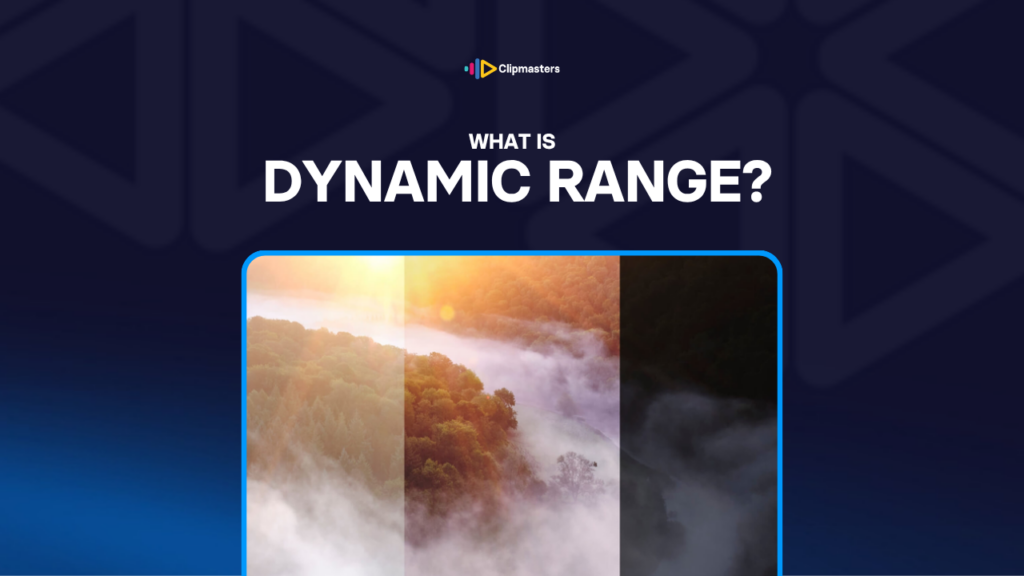
Picture yourself in a dim room with a window. Inside, the light is low. Outside, the sky is bright. Your eyes adjust on their own, so you can see the details in the room and the details in the sky at the same time.
A camera cannot do that as easily. Its sensor can only handle a fixed range of brightness at once. If the camera sets itself for the bright window, the room goes pitch black. If it sets itself for the dim room, the window blows out to pure white with no detail. It can capture one or the other, but not both, unless its range is wide enough to hold the whole scene.
That range, from darkest to brightest, is dynamic range.
Dynamic range is measured in “stops” of light. Each stop is a doubling of brightness. So a camera with a few more stops can hold a much wider gap between the darkest and brightest parts of a shot.
For a rough sense of scale:
Wider dynamic range means you can capture high-contrast scenes, like a bright sky over a shadowed face, without losing detail at either end.
Dynamic range shows up in video quality in a few visible ways.
Shadows and highlights you can recover. Footage shot with wide dynamic range gives the editor room to push and pull the contrast later. A shadow that looks pure black on the camera screen might actually hold detail in the file. Wider range means more of that detail survives.
Handling high-contrast scenes. Outdoor shots, scenes with windows, sunsets and golden hour, mixed indoor and outdoor light: all of these are easier with wide dynamic range. A camera with a narrow range forces a choice, where you set for the bright parts or the dark parts, but not both.
Skin tones in tricky light. Skin sits in the middle of the brightness range. But if the background is much brighter or darker than the person, the camera has to pick where to set itself. Wide dynamic range keeps both the face and the surroundings looking right.
Room to colour grade. Colour grading means pushing brightness, contrast, and colour around. Footage from a wide-range camera takes that grading without falling apart. Footage from a narrow-range camera shows problems, like banding and noise, much sooner when you grade it hard.
Polished vs amateur feel. Wide-range footage tends to feel more cinematic. Narrow-range footage often looks “video-ish,” with crushed shadows, blown-out highlights, and less nuance in the middle.
For everyday video, dynamic range matters less than it does for premium work. But the harder the scene, like mixed light, outdoor work, or high-contrast subjects, the more it matters.
“Dynamic range” is about what a camera can capture. “HDR,” which stands for High Dynamic Range, is about how that wider range gets delivered to the screen.
Standard video uses a format called SDR, or Standard Dynamic Range, which squeezes everything into a fairly narrow band of brightness. Even when a camera captures a wide range, SDR delivery only keeps part of it. That is why bright outdoor scenes often look flat on a normal TV.
HDR delivery keeps more of the camera’s original range all the way to the screen. Bright highlights stay bright on an HDR display, and deep shadows stay deep. The result looks more cinematic on TVs, phones, and monitors that support HDR.
HDR is becoming the standard for premium content. Netflix, Apple TV+, Disney+, and Amazon Prime ask for HDR versions of their original shows. Most modern flagship phones and TVs support at least one HDR format.
For everyday video, like YouTube, social, and websites, SDR is still the main delivery format. HDR exists on YouTube, but not everyone can see it yet. Still, capturing a wide range and delivering in SDR gives you editing room even when the final file is standard.
So the two terms are related but not the same:
A camera with a wide range is useful even for SDR delivery, because it gives you room to edit. True HDR delivery needs both a wide-range capture and a screen and platform that can show it.
Here are a few practical choices that come up on real shoots.
Shooting in log. Most professional cameras can record in a “log” format. Log records a flatter, lower-contrast image on purpose, to hold on to the camera’s full range in the file. The footage looks washed out on the camera screen, but it holds far more information for grading later.
Protecting highlights over shadows. As a rule, setting the exposure a touch dark to protect the highlights keeps more usable detail than setting it bright. Shadows usually hold more recoverable detail than highlights. The exception is very dark scenes, where noise becomes the bigger worry.
Lighting to tame contrast. When a scene has more contrast than the camera can handle, the fix is often to add light to the dark areas, or block light from the bright ones. That pulls the scene back into the camera’s range.
Shooting a few exposures for safety. For important shots, some cameras can capture several exposures at once and combine them later. This is more common for photos than video, but some cameras now support it for HDR video too.
Checking the histogram. The histogram is a little graph that shows how the brightness is spread across the shot. If the shadows or highlights are clipped, you have lost detail. A graph that sits in the middle without clipping means you have room to work in both directions.
For most commercial and online video, the simple baseline is this: shoot in log if your camera can, set exposure to protect the highlights, add light to lift the shadows where you can, and watch the histogram to avoid clipping.
Dynamic range gets a lot of talk when people buy cameras and then gets forgotten during the actual work. But the gap between footage shot with care for it and footage shot without shows up right away in the edit. Wide-range footage gives the editor room: shadows that lift cleanly, highlights with detail to recover, skin tones that hold up through the grade. At Clipmasters, your editor knows how to get the most out of that footage, and how to spot when there simply was not enough range to begin with.
A stop is a doubling of brightness. Each extra stop a camera has doubles the gap it can hold between the darkest and brightest parts of a shot. The human eye has the widest range when it adjusts. Professional cinema cameras hold about 14 to 17 stops, modern mirrorless cameras about 13 to 15, and older or smaller cameras about 8 to 12.
Dynamic range is what the camera can capture. HDR (High Dynamic Range) is a delivery format that keeps more of that range on the screen. A camera with wide range is useful even for SDR (Standard Dynamic Range) delivery, because it gives you editing room. True HDR delivery needs both a wide-range capture and a screen and platform that can show it.
Usually because the camera doesn't have enough range to capture both the bright and dark parts of the scene at once. It has to pick one end, and the other end clips to pure white or pure black. The fixes: add light to the dark areas to reduce the contrast, use a camera with wider range, or shoot in log to hold on to more of the camera's full range.
If your camera supports it and you're comfortable colour grading afterward, yes. Log keeps more of the camera's range than the normal colour profile, which gives you more room in editing. The trade-off is that log footage looks flat and washed out until you grade it, which can make judging framing and exposure harder on set. Most professional and many modern mirrorless cameras support some form of log.
For most online video, no. SDR (Standard Dynamic Range) is still the main format for YouTube, social, and websites. HDR matters for premium content delivered to platforms that support it, like Netflix and Apple TV+. For everyday work, a wide range matters more during the shoot and the edit than during delivery. You get the benefit even when you ship in SDR.