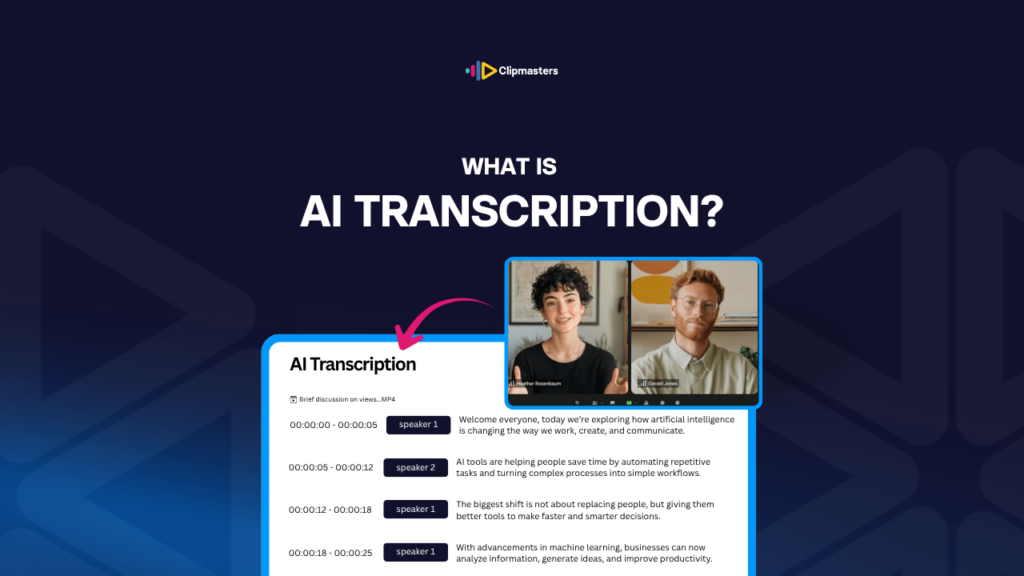
AI transcription is software that listens to audio and writes down what is being said. It is the same job a human transcriber would do, just done by a computer that has learned from millions of hours of recorded speech.
The way it works is simpler than it sounds. The software has studied a huge amount of speech, so it has learned the sounds of words, the way different accents shift those sounds, and the rhythm of normal talking. You give it audio, and it writes out its best guess at what was said.
Here are the tools you will run into most often:
For video work, transcription has become a must-have. It powers caption files and subtitles, it lets you edit by reading the text instead of scrubbing the audio, and it makes it easy to turn one video into other content. Accurate transcripts touch almost every part of the job.
Modern AI transcription is good, but not perfect. How accurate it is depends on a few things.
How clearly people speak. Clear, well-recorded speech is the easiest to get right. Mumbling, fast talking, strong accents, or lots of background noise all pull the accuracy down.
Recording quality. Clean audio from a good mic in a quiet room gives you an accurate transcript. Phone recordings, far-away mics, or noisy rooms create more errors.
The words being used. Common words come out fine. Technical terms, brand names, unusual names, and slang trip it up. The AI takes a guess, and sometimes the guess is wrong.
The language. English is the best supported. Many tools handle 50 or more languages, but accuracy varies. Big languages like Spanish, French, German, and Mandarin do well. Smaller languages can be weaker.
How many people are talking. One speaker is easy. A conversation with several people is harder. Most tools can tell speakers apart and label them “speaker 1” and “speaker 2,” but they do not always get who said what right.
Here is roughly what accuracy looks like:
For most professional work, a quick human review catches the AI’s mistakes. The AI does about 90 percent of the work, and a person spends the last 10 percent fixing names, technical terms, and the spots where it guessed wrong.
Here are the most common ways it shows up in video work.
Caption files. AI transcription creates the SRT or VTT files behind closed captions on YouTube, Vimeo, and other platforms. The text is time-coded automatically, so the captions line up with the audio.
Subtitles in other languages. Pair transcription with AI translation and you get subtitles in multiple languages. The English transcript is the starting point, and the AI translates it into Spanish, French, German, Mandarin, and more.
Editing from the transcript. Software like Descript turns the transcript into your editing screen. Delete text and you delete the matching audio and video. Move paragraphs around and the timeline moves with them. For long interview edits especially, this can be faster than scrubbing.
Searchable archives. Transcripts make your footage searchable. Instead of scrubbing through hours of video to find one quote, you just search the text.
Repurposing content. A transcript can become a blog post, social captions, pull quotes, or a written summary. Plenty of creators and podcasters spin blog content straight out of their video transcripts.
SEO and accessibility. Captioned videos are easier to find in search and open to people who are deaf or hard of hearing. AI transcription makes it cheap enough to caption everything, not just your big projects.
Show notes and timestamps. Podcasts and long videos often have show notes and chapter timestamps. AI transcription gives you the raw material to build them.
Meeting notes. Tools like Otter.ai and Fireflies sit in on meetings and produce searchable transcripts. Common in business and journalism.
For commercial work, transcription has turned captioning from a pricey specialty service into a normal step. Most professional video now ships with caption files made by AI and checked by a person.
A few things to keep in mind when you use AI transcription.
Always check it. Even at 95 percent accuracy, a 10-minute transcript has hundreds of words, so 5 percent wrong still means dozens of mistakes. For captions you publish, a human review pass is a must.
Names and proper nouns. The AI almost always misspells unusual names, brand names, and technical terms. Plan to fix these by hand.
Punctuation and formatting. The AI often gets the words right but the punctuation wrong. Sentence breaks, paragraphs, and commas usually need tidying up.
Who said what. With several speakers, the AI labels them with generic names like “speaker 1” and “speaker 2.” For a published transcript, you will usually swap those for real names.
Sounds and audio cues. The AI does not normally catch the non-speech cues that good closed captions include, like “[music swells],” “[door slams],” or “[laughter].” Those get added by hand.
Privacy. Many transcription services send your audio to the cloud. For sensitive material like legal, medical, or confidential business talks, read the service’s privacy policy first. Some offer local processing so the audio never leaves your machine.
Cost. Pricing varies. Some tools are free with limits, others charge per minute of audio. For lots of work it adds up, but it is still far cheaper than a human transcriptionist, who typically charges 1 to 3 dollars per audio minute.
Language support. Big languages are well covered. Smaller languages, regional dialects, and switching between languages mid-sentence often come out poorly.
For most commercial and online video in 2026, AI transcription with a light human review is the normal way to work. Fully manual transcription is saved for high-stakes content where the exact wording matters more than speed.
When your editor handles transcription, they treat the AI output as a first draft, not the finished thing. At Clipmasters, that means the AI does the bulk of the typing and your editor cleans up the names, technical terms, and punctuation before anything goes out. It is just part of the edit, so your captions and transcripts come back accurate without you having to chase them.
For clean, single-speaker English audio, modern AI transcription is 95 to 99 percent accurate. Accuracy drops with multiple speakers, accents, background noise, technical vocabulary, or non-English languages. Even at 95 percent, a typical 10-minute transcript has dozens of errors that need a quick human review before you publish.
It depends on what you are doing. For live meeting notes, Otter.ai or Fireflies. For video editing, Descript or Adobe Premiere Pro's built-in tool. For high-volume audio with human review, Rev.com. For free and open-source, OpenAI Whisper. For YouTube, the built-in auto-captions are free and good enough for a lot of uses, as long as you review them.
Some tools have free tiers, like Otter.ai and YouTube's built-in captions. Others charge per minute, like Descript and Rev.com. OpenAI Whisper is free as open-source software, but you need some technical setup to run it yourself. For the odd job, free tools cover most needs. For high-volume professional work, paid tools tend to be more accurate and faster.
Yes, most modern tools handle 50 or more languages. Accuracy is best for big languages like Spanish, French, German, Mandarin, and Japanese, and it drops for smaller or less-supported ones. Mixing languages in one conversation is harder for the AI than sticking to one. For any language work, test it on a short sample before you commit to the whole project.
It mostly already has. Most commercial transcription in 2026 is AI-first with a human review, rather than fully done by hand. Pure human transcription is saved for high-stakes content like legal, medical, and confidential business work, where the exact wording matters more than speed. The job has shifted from "type what you hear" to "check and fix what the AI typed," and that has cut demand for full manual transcription a lot.